As a web designer or developer it is so important to have an eye-catching website to show potential clients your work. In this blog post, I'll share how I built my own portfolio website. I'll also include some tips on how you can create your own portfolio website.
The design of your portfolio is one aspect that can make or break the deal when it comes time to pitch potential clients. It needs to be eye-catching, informative and impressive - all at once.
So, if you're looking for a way to improve your personal portfolio website, keep reading!
Short Story About Me:
When I first decided to start coding, I had no idea what I was doing. I spontaneously signed up for a coding bootcamp before even owning a computer, I struggled with the material they taught me to say the least. Despite all the challenges I went through, I didn't give up. I kept learning and eventually stumbled upon Webflow - Which changed the course of my web development career forever.
Although I struggled with the material I was taught at the coding bootcamp, I was able to get a basic understanding of HTML & CSS. This made it much easier for me to pick up Webflow, which is the visual website builder I used to build my portfolio.
1. What tools and software I used to create my website
Webflow 🔥
If you have seen any of my YouTube videos, you know I am a freak about Webflow. Webflow is the software I used to create this website, and it genuinely is the best portfolio websites I made over my quest to become a junior developer.
I have made what feels like dozens of portfolios over my time, and this one with Webflow has been my favorite, and has delivered the best results with finding new clients for my web design freelancing career.
How Does Webflow Work?
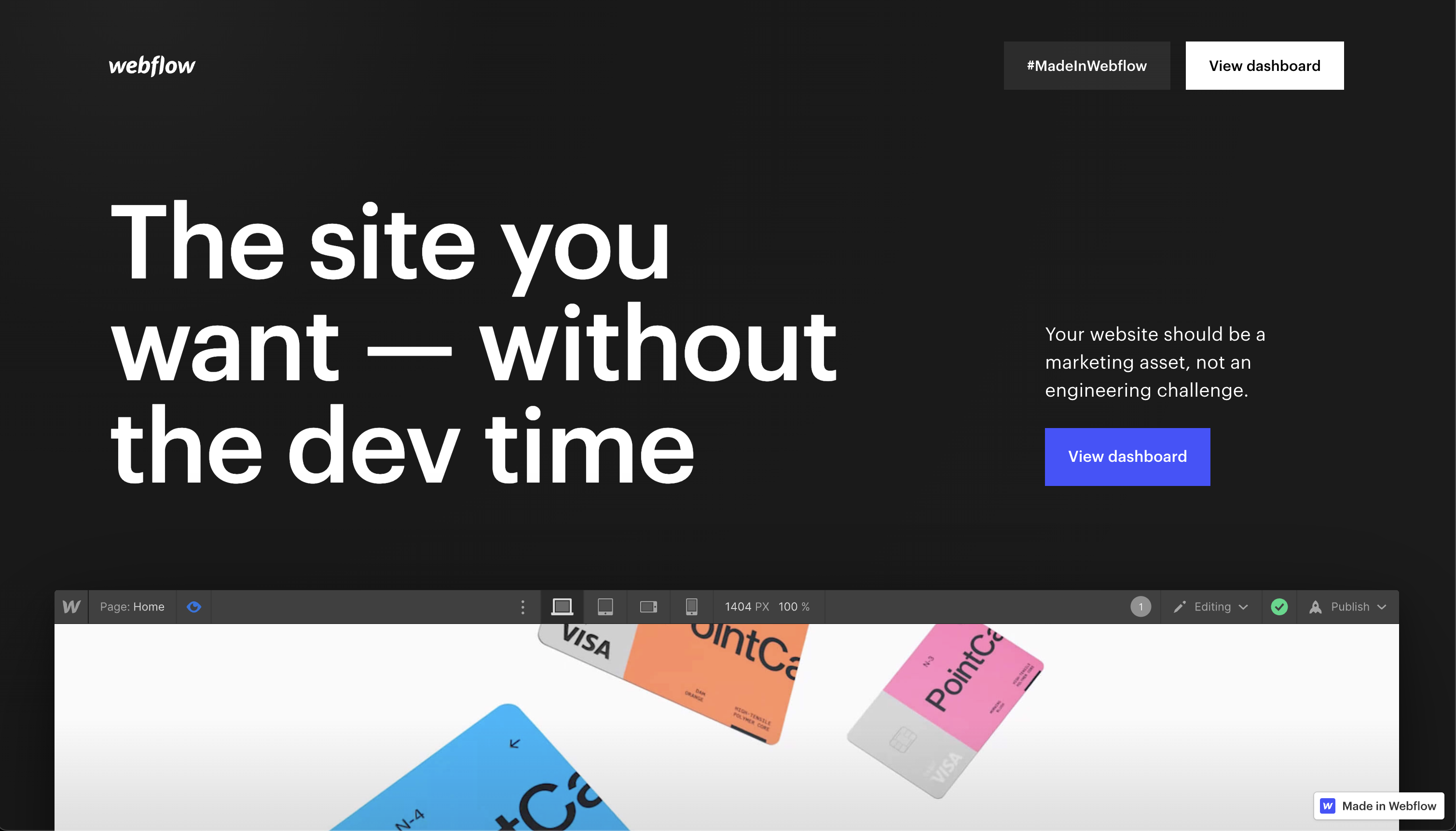
Webflow is a click-and-drag web design tool that made it incredibly easy for me to build responsive websites 100x faster than I was with the knowledge I learned at a coding bootcamp. Because I had an understanding of HTML & CSS, the learning curve really easy with Webflow.
one thing about me is, I have always had a small eye for design, but it was only when I started building websites that I realized how much I truly enjoyed it.
The first dozen or so websites I was built were awful, absolutely horrendous, and I knew I needed to find a way to make them look better. I learned pretty quickly I didn’t want to become a jr developer and do traditional programming, I wanted to peruse this journey of making websites that stand out and try my hand at freelancing (Watch my video).
I started purchasing dozens of css courses online and watching counties hours of Design Course on YouTube. One lucky day I came across a course on Udemy for freelance web designers. I had never heard of Webflow before, but the course was fantastic, and it completely changed my approach to web design.
I was finally able to build the beautiful websites that I had always wanted to build, in a fraction of the time it was taking me before using JavaScript frameworks.
I'm glad that I stuck with the coding bootcamp even though it was tough. (My story) Without that foundation, It would have been a bit more challenging to use Webflow. (But not impossible. Checkout their online university to learn Webflow 101)
Is JavaScript Required?
When I first started learning web development, I was determined to become a “developer”. I spent countless hours practicing my code and learning the skills. However, over time my focus shifted to other areas of web development, and my Javascript skills began to slip. I no longer had any need to use Javascript, as Webflow's built-in CMS made it easy to do everything I needed without writing a single line of code. While there are both pros and cons to using Webflow, it was the best option for me at the time, given my lack of experience with other web development frameworks. Now that my skills have progressed, I may revisit Javascript in the future; but for now, Webflow meets all of my needs.
2. How I designed the layout and chose colors
Starting thoughts
When it came to designing my portfolio website, I wanted to create a clean and simple layout that was eye-catching, informative and impressive - all at once. I also needed something to showcase my work in the best light possible.
It was easy to get started with a live project, and I was able to experiment with different layouts until I got it just right.
Planning Process
While a wireframe is normally my starting point for a website, I will admit that my portfolio website was put together more quickly and without as much planning. Even so, it has been successful in generating new business. I think potential clients are impressed with the way it looks, especially the dark theme. I think my portfolio has been effective in demonstrating my skills and helping me to land new clients. In the future, I may spend more time on the planning phase, but for now, this quick and dirty approach is working well.
Layout Inspiration
Coming up with a website layout can be tough. You want something that's going to look good and be easy to use, but you also don't want it boring and to appeal to potential clients.
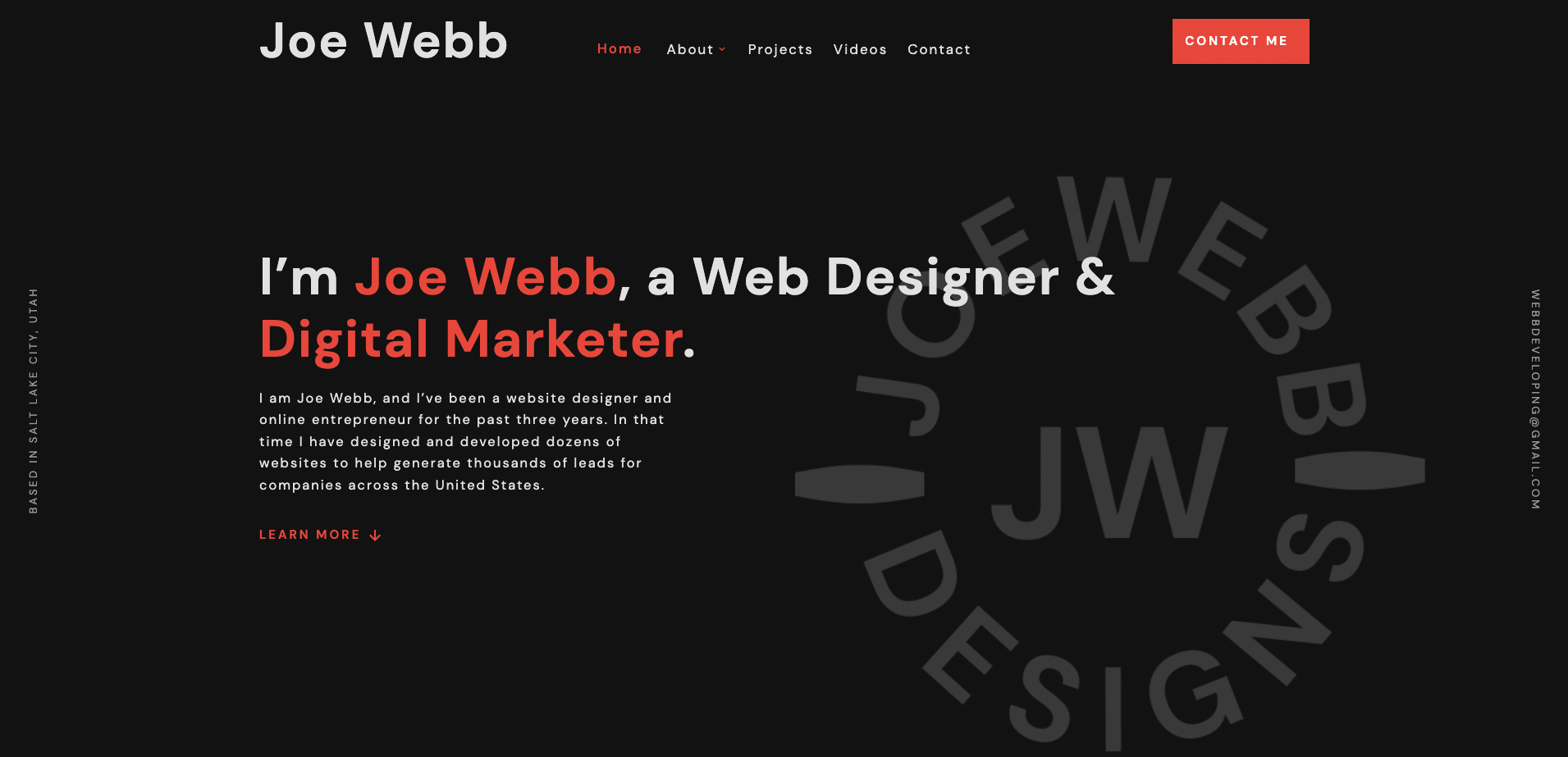
For me, the hardest part has always been the home page. I always want to make sure that the hero section looks perfect, because that's usually the first thing people see when they come to my site. As I was browsing on Dribbble I found another website design that had a logo similar to mine, and I loved the way they showcased it on the hero section. I decided to use that as inspiration for my own site, and I'm really happy with the results. The logo is lightly watermarked in the top right corner of the hero page section, and I think it looks great to have some detail, while also keeping it minimalistic.
Color Inspiration
When it came to choosing colors, I turned to a few places for inspiration. The Webflow Template Library & Dribbble.com are my two main sources for color inspiration inspiration. I wanted to use a dark color scheme that would be easy on the eyes, yet stand out. After looking through dozens of examples, I settled on a simple black and red theme. I think these colors help to create a professional atmosphere, which is ideal for scoring new business. Overall, I'm very pleased with how my portfolio website turned out, and I'm more than pleased with the way it has helped me to attract new clients and commissions for my freelancing business.
3. Creating each page of my website
After coming up with the perfect color template for my portfolio website, and having a general idea of the layout - I simply started building. I mentioned before this is not my ideal way of doing it, but I have built so many portfolios that I just wanted to take a shot at randomly building with the skills I learned to see what happens.
Homepage
One of the most important elements of any website is the homepage. The homepage is the first thing that visitors see when they arrive at a site, so it's important to make a good impression. I wanted my homepage to be simple and professional, so I chose a basic layout style and included only the most essential information. I think that this approach makes it easy for visitors to find what they're looking for and navigate my site. In addition, I believe that it helps to create a more positive overall experience for users.
Other Pages
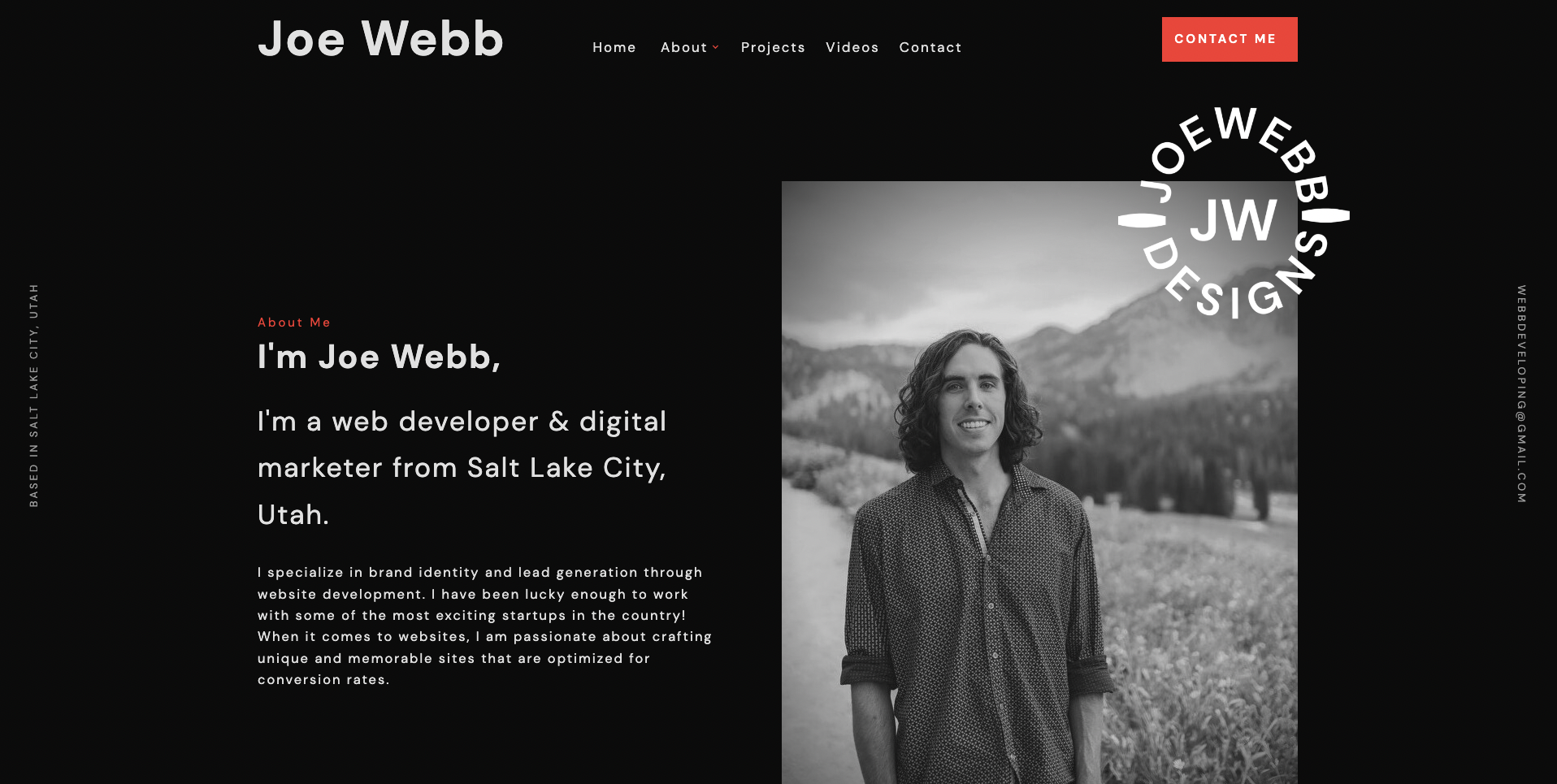
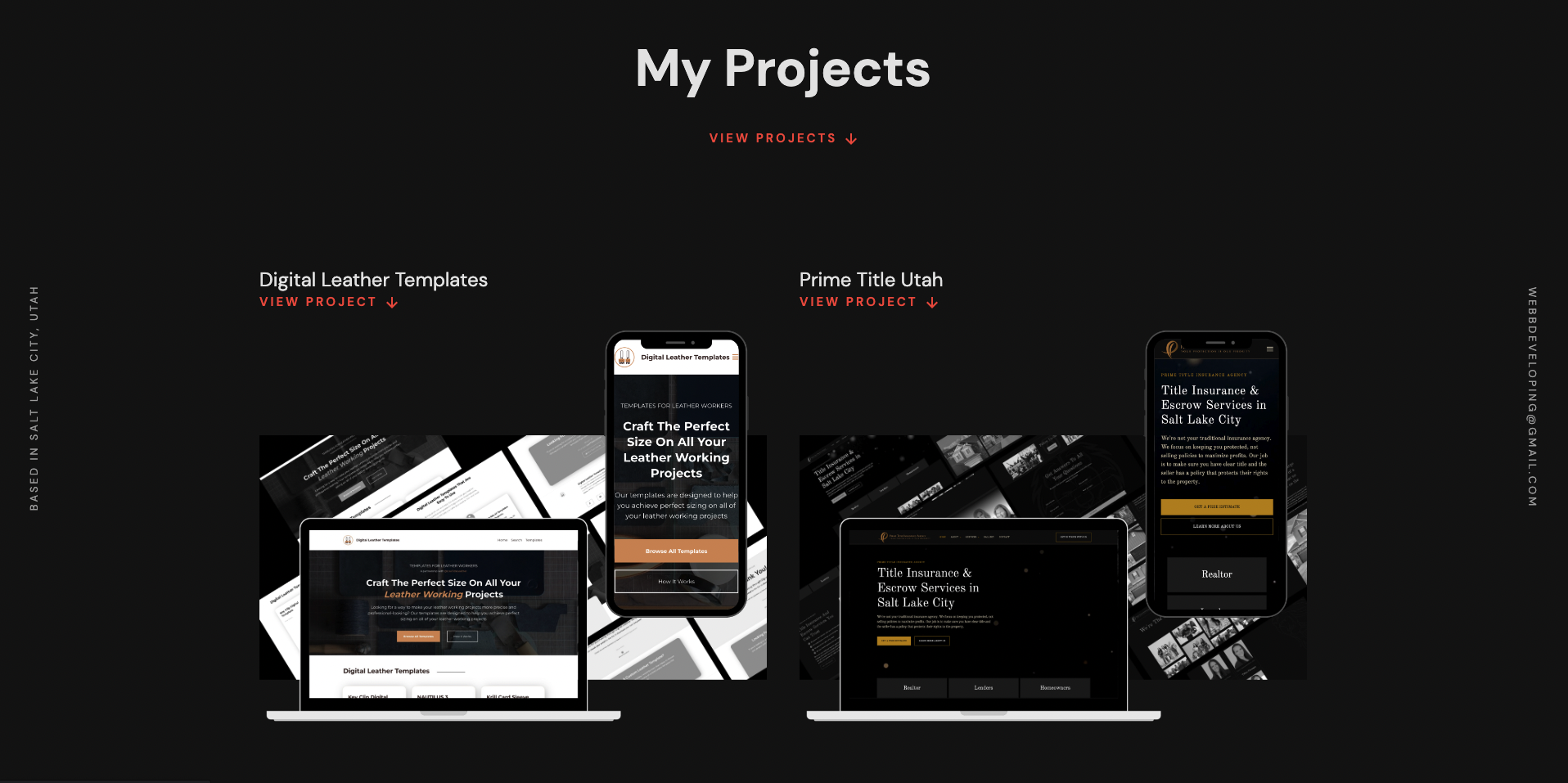
I originally started my portfolio with just a single page, but I quickly realized that wouldn't be enough to really showcase my work. I've been working as a web designer for a few years now and I have gained a lot of experience, so I wanted my portfolio to reflect how my skills have grown from leaving the bootcamp. I added pages for each of the different types of website work I do, as well as a page highlighting some of my favorite projects. I also included a blog and my YouTube videos so potential clients can get to know me better.
My portfolio is always a work in progress, but I'm very happy with how it's turned out so far.
Recommended pages for your website
When designing your site, there are a few key pages that you should include.
-Homepage
The homepage is the first impression that visitors will have of your site, so it's important to make sure it's well-designed and informative.
-About
The about page is your chance to tell visitors who you are, what you do, and why they should hire you.
-Services
The service page should clearly outline the services that you offer.
-Contact
and the contact page should provide visitors with a way to get in touch with you.
-Portfolio
Finally, the portfolio page is where you can showcase your previous work and showcase your talents.
By including these key pages on your site, you can make sure that you're providing potential clients with all the information they need to make a decision about hiring you.
4. Tips for anyone who wants to create their own portfolio website
Web design is one of the most important aspects of your work as a web developer. (Ok maybe not all, but for most) As such, it's essential that you take the time to create a website that is both visually appealing and easy to navigate.
Here are a few tips to help you get started:
1. Keep it simple.
Your portfolio website should be easy to navigate and free of clutter. Stick to a simple design that highlights your work in the best possible way.
2. Choose your platform wisely.
There are a number of different platforms you can use to build your portfolio website, so take some time to research your options before settling on one.
You know I like Webflow.
But other options consist of
- Wix
- Squarespace
- Wordpress
- HTML & CSS
- GoHighLevel
- So much more
3. Make it mobile-friendly.
In today’s world, it’s important to make sure your website can be accessed from any device. Make sure your portfolio website is responsive and looks great on all screen sizes.
4. Use high-quality images.
When it comes to portfolios, visuals are key. Be sure to use professional-looking images that showcase your work in the best light possible.
5. Write compelling copy for your website.
In addition to strong visuals, your portfolio website needs well-written copy.
I struggled with writing copy for a long time, but if you made it this far in the blog post I feel like you should know my secret for writing copy - AI does it. Now I offer it as an up-charge for my clients.
Conclusion:
Thank you for taking the time to read my short story about how I designed my portfolio as a freelance web developer/designer. If you’re looking to build a portfolio website and want an easy way to do it, I recommend using Webflow. I am being completely genuine when I say it's been life changing for me.
You can use their library of templates or start from scratch, and it has some great features like built-in hosting and domain name registration.
If you have any questions for me, please feel free to reach out to me through my website.
Thanks for reading! 🤙🏽